

Zia Agents, built for the way you work.
Zoho ships the platform. We build the agents on it around your workflows, your approvals, and your edge cases, and test them before they touch live data. Each one acts across your Zoho apps and the other systems you connect to them, follows your rules, and logs what it did and why.
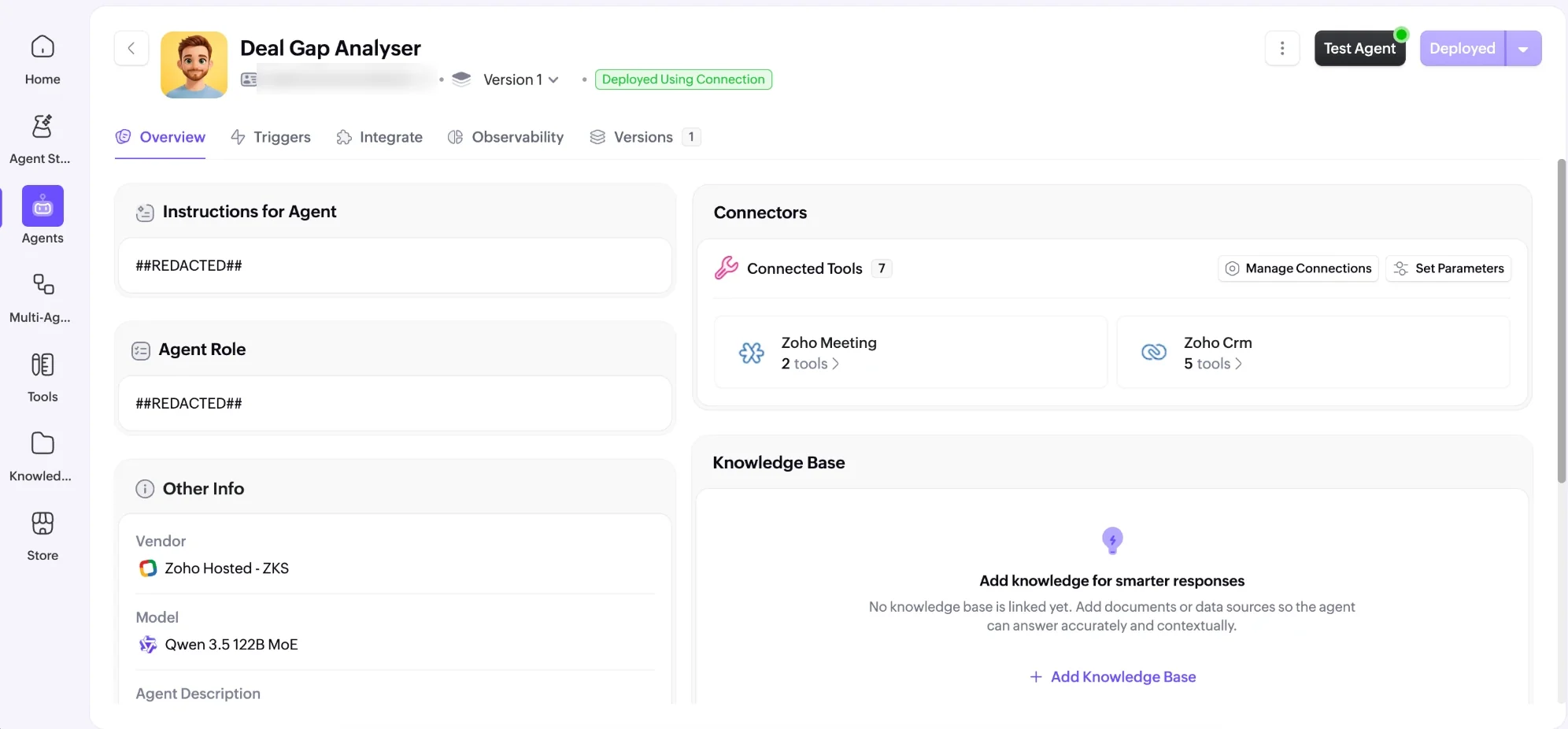
Try Zia Agents
Build a first agent yourself. The implementation comes after.
Start a free trial →Have us implement it
Agents scoped, wired, and tested by a Zoho Advanced Partner.
Talk to us →Four already at work.
Built for clients on Zoho CRM, Books, and Desk. We describe the clients without naming them; the work is the point.
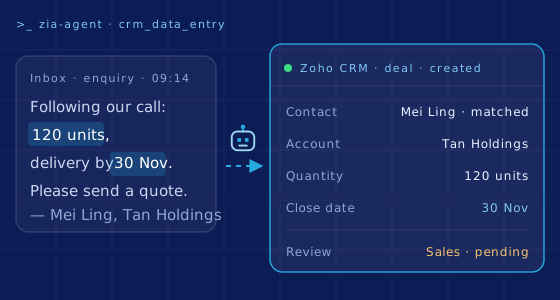
Nobody retypes a deal
An enquiry arrives by email; the agent matches the contact, creates the deal in Zoho CRM, and fills the fields. Sales reviews the record instead of typing it.
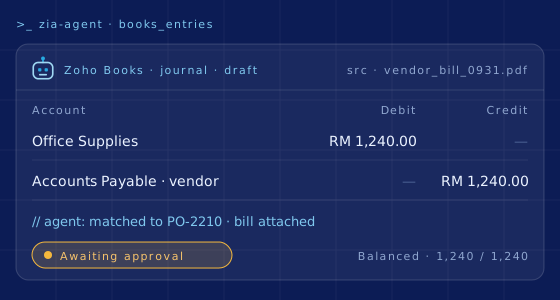
The entry drafts itself
Bills and receipts become draft entries in Zoho Books, with accounts, amounts, and the source attached. Nothing posts until someone in finance approves it.
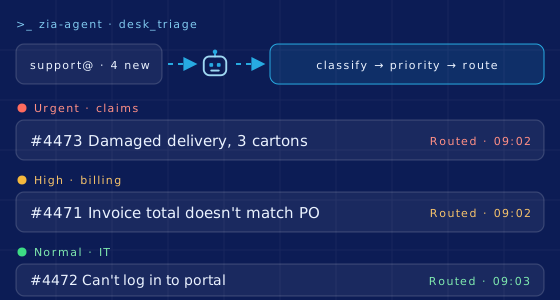
Every email sorted first
The Desk agent reads each incoming email, opens the ticket, tags it, sets the priority, and routes it. Triage is done before the team starts, so they begin with the urgent cases.
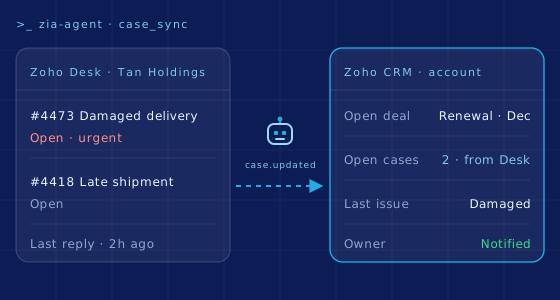
Sales sees the complaint
Open cases from Zoho Desk show on the account in Zoho CRM, with the last issue and its status, so the owner walks into the renewal call already knowing.
What Zoho gives every agent.
- Describe the job in plain language and Zia drafts the agent, or configure it yourself: name, instructions, knowledge, and tools.
- More than 50 pre-built agents in the Agent Store, made by Zoho for its 60+ apps, ready to install and then adjust.
- Tool groups that let an agent act: retrieve emails, update records, add tasks across Zoho CRM, Desk, and other apps. Custom tools, defined in YAML, reach the systems outside Zoho.
- Knowledge from your documents (on your desktop or in cloud storage), your website, and your training courses, so answers follow your own practice.
- Guardrails written as do's and don'ts, such as a discount ceiling or a tone of voice, and a review step before an agent replies on your behalf.
- Zoho-hosted language models by default; external models such as ChatGPT and Gemini connect with your own keys.
- Success rate, latency, reasoning logs, and session drill-downs for each agent. Configuration changes are versioned, with a rollback when one goes wrong.
Built, equipped, and watched in one studio.
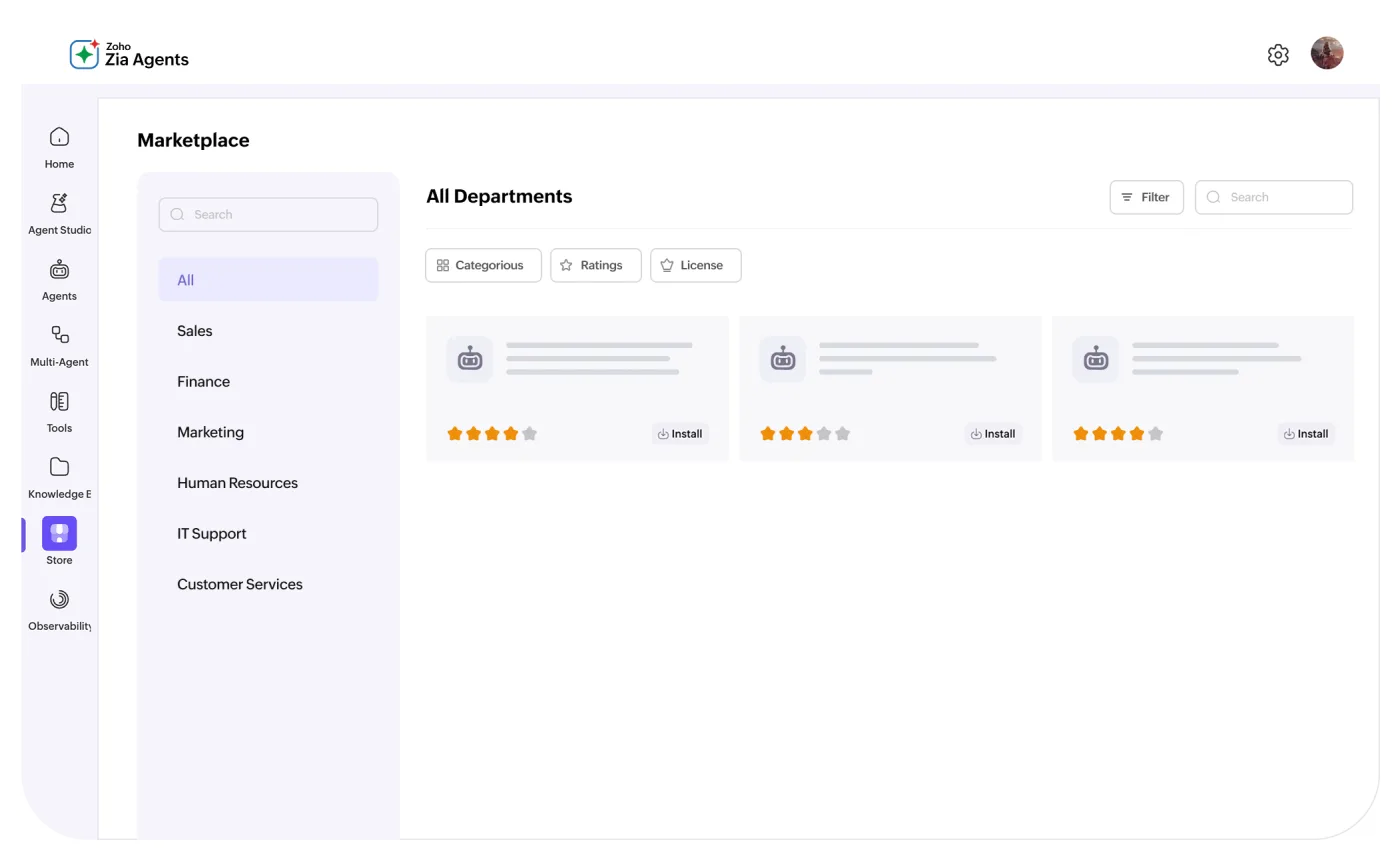
Agent Store
Pre-built agents by department: sales, finance, HR, support.
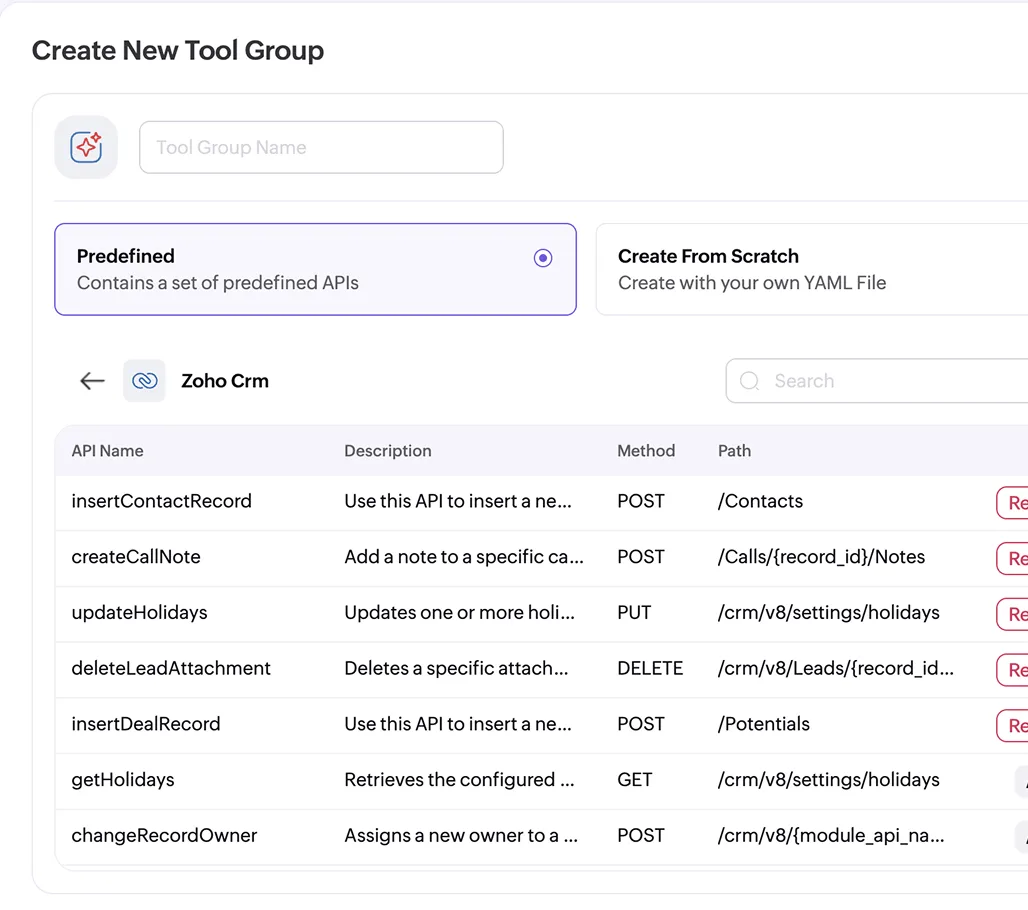
Tool groups
The actions an agent may take, granted API by API.
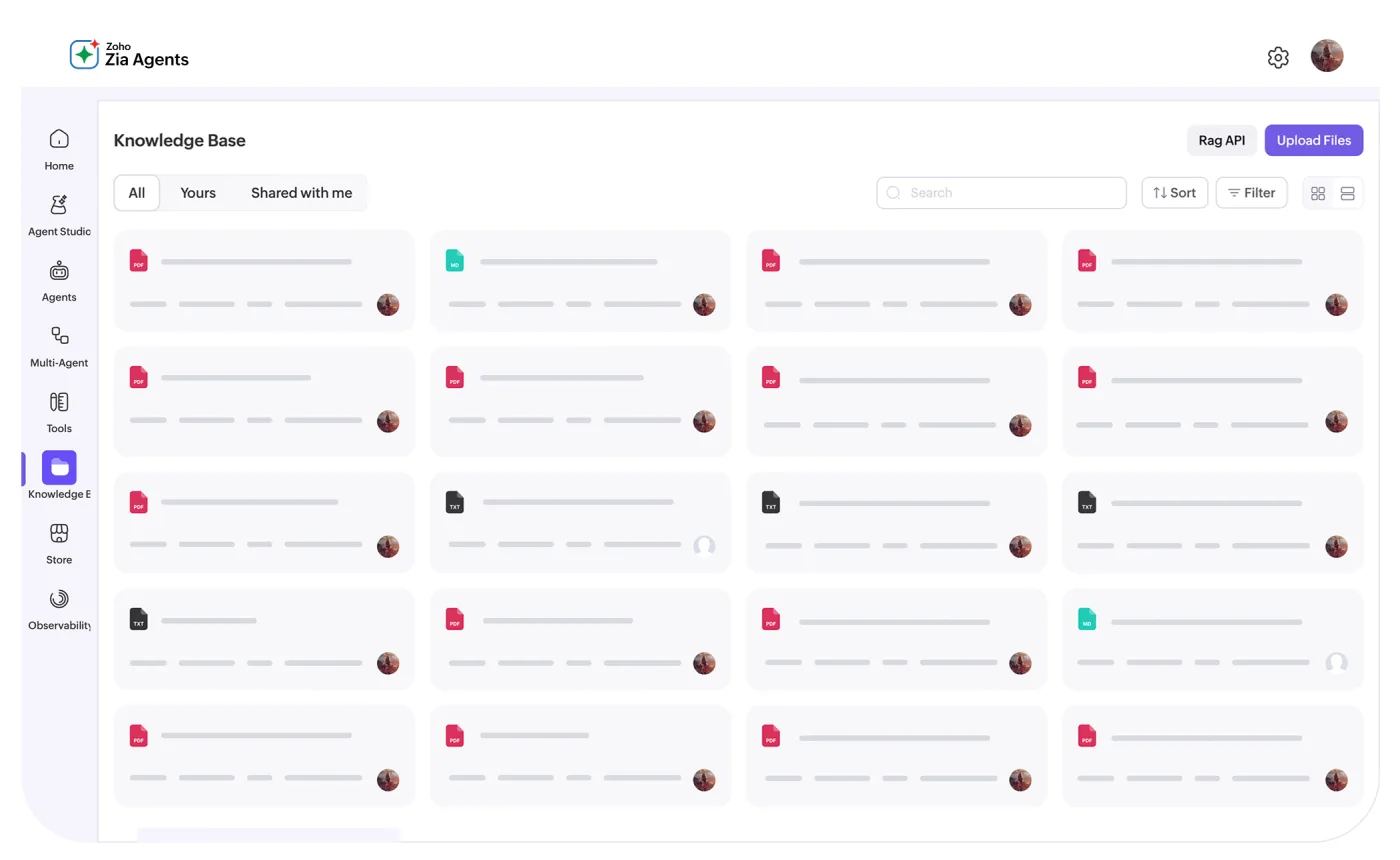
Knowledge base
Your documents and sites, so the agent answers the way you would.
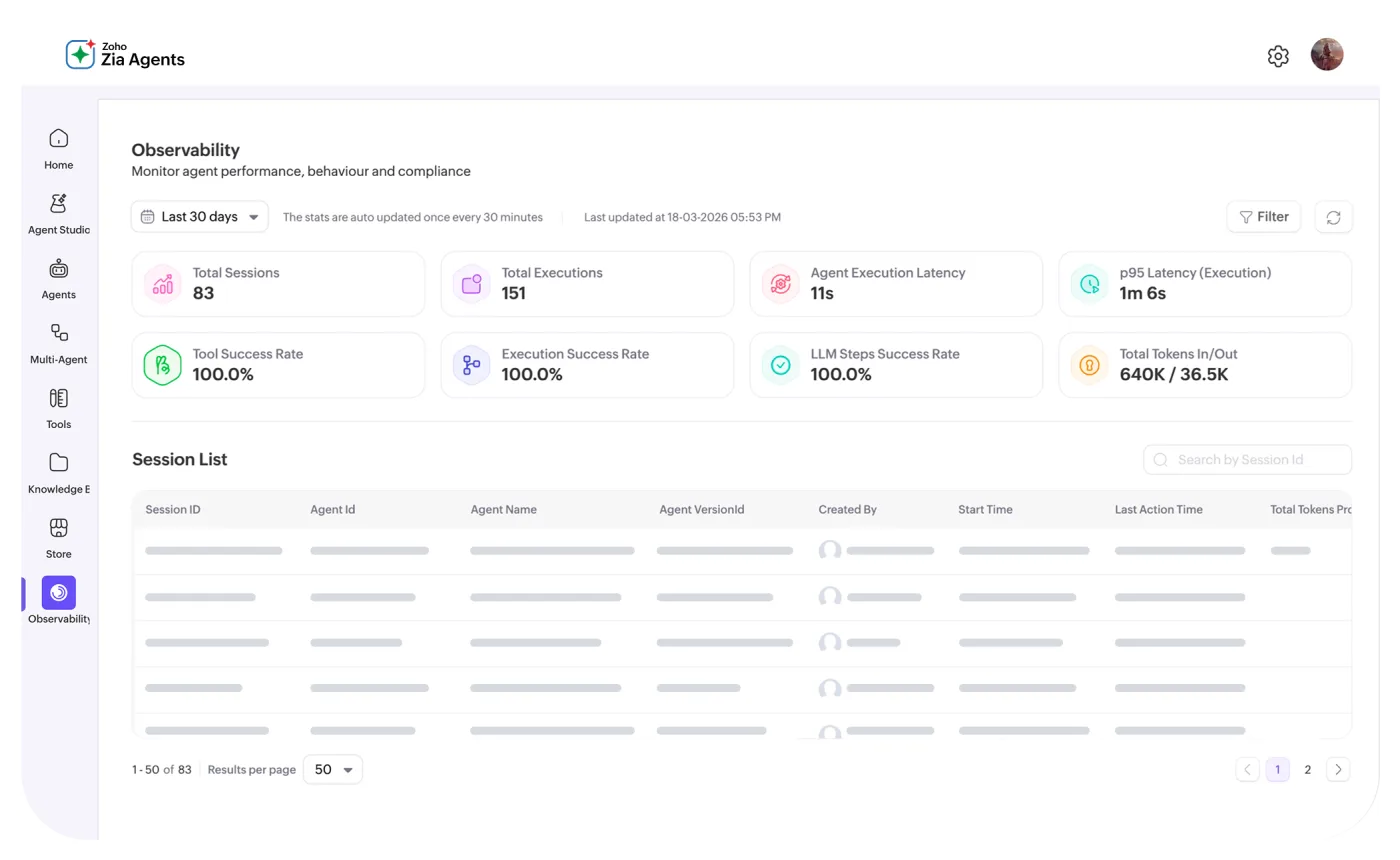
Observability
Each session, tool call, and failure, logged.
Six jobs an agent does well.
Each is a small, repeated job with clear rules. We scope one agent per job in Zia Agent Studio and give each a human owner. Start with the job your team complains about most.
Lead follow-up
Drafts the follow-up when a lead goes quiet, so it goes out on day two, not day ten. The salesperson still sends it.
Owner · SalesAccount watch
Flags accounts showing early signs of churn and reminds the owner well ahead of the renewal.
Owner · SalesNew-hire onboarding
The checklist, IT access, and first-week tasks set in motion the day someone joins.
Owner · HRHelp desk, first line
Password resets, access requests, and triage, handled before they reach a person.
Owner · ITPurchase approvals
Purchase orders routed by amount and budget to the person who should approve them.
Owner · ProcurementInvoice chase
Reminders for overdue invoices, drafted in Zoho Books and sent by a person.
Owner · FinanceBuilding the agent is quick. Deciding its limits is the job.
The same five steps for each agent. The process is deliberately boring, which is what you want from the people putting an agent into your CRM and your books.
- 1 · Map. The workflow as it runs, not as the manual says. An agent reasons over the data in your Zoho apps; if the record is half-filled, we fix it before we automate on top of it.
- 2 · Scope. The skills it may use and the fields it may touch. Every tool is an API call; we grant the least it needs.
- 3 · Limit. What needs a person to sign off. Where an agent's work reaches a customer or the books, a person approves it until the logs show it can be trusted with more.
- 4 · Test. On a sandbox, before live data: each tool, and each exception we mapped.
- 5 · Hand over. Your team trained, and the agent given a named owner who answers for it.

The agents are free. The thinking is metered.
Zoho charges nothing to build, deploy, or manage an agent. What costs money is the language model it runs on, and Zoho prices that in US dollars, Malaysia included.
The agents
Built in the studio or taken from the Agent Store.
No platform fee, at any volume.
- Agent Studio: build, deploy, and manage every agent
- The Agent Store's pre-built agents
- Tool groups, knowledge base, and guardrails
- Observability, versioning, and rollback
Zoho-hosted models
Run on Zoho's own infrastructure, under Zoho's privacy policies.
Standard tier · then US$1 per million tokens.
- Standard tier: Qwen 14B, Qwen 3.5 35B MoE, GLM 4.7 Flash
- Usage beyond the allowance paid from prepaid credits in the Agent Wallet
- Pro tier (GLM 5): 20 million free, then US$3 per million; on request, in Zoho's US and Indian data centres only
- Free allowances reset on the 1st of every month
Your own models
For the team already committed to OpenAI, Gemini, or Claude.
No Zoho platform fee on top.
- Bring your own key: connect OpenAI, Gemini, or Claude, and settle with the vendor directly
- Or connect OpenAI through Zoho's Key System, billed at the vendor's rate through the Agent Wallet
Zoho's published prices, read 14 October 2026; Zoho may revise them. SST is charged on top. An agent still works within the subscriptions of the apps it acts in (Zoho CRM, Desk, or the rest), so their API access and limits apply. We size the volume before it surprises you, and quote implementation separately.
Where it sits.
Zia Agents starts from the Zoho apps you already run (CRM Plus, Desk, Books, or the whole of Zoho One) and reaches across your business to the other systems you depend on, through connections and custom tools. It earns its place once those apps contain clean, complete data. Until then, the first job is the foundation.
If your team already works in Claude or ChatGPT, Zoho MCP connects those assistants to the same Zoho data and actions. Where the work is bespoke, our custom engineering team builds the tools an agent calls, including the ones that reach systems outside Zoho.
Where we deploy it.
The software is the licence. The system is the work.
Zoho builds the platform. We build what your business runs on it — diagnosed, designed, implemented, and supported for as long as you run it. How we work → Ongoing support →
Tell us which work you'd hand to an agent.
Some of it should stay with a person. We'll say which, and what has to be in place first.